
How to Itemise Your Invoice
In this guide, we will be booking a shipment with 3 different times (a pair of white shoes, a brown leather bag and a fictional book). Now let’s book the shipment and itemise it properly.
Step 1
Log into your Terminal Africa account here: https://dashboard.terminal.africa/auth/login
Step 2
On your dashboard, click on the book shipment button to start the booking process.

Step 3
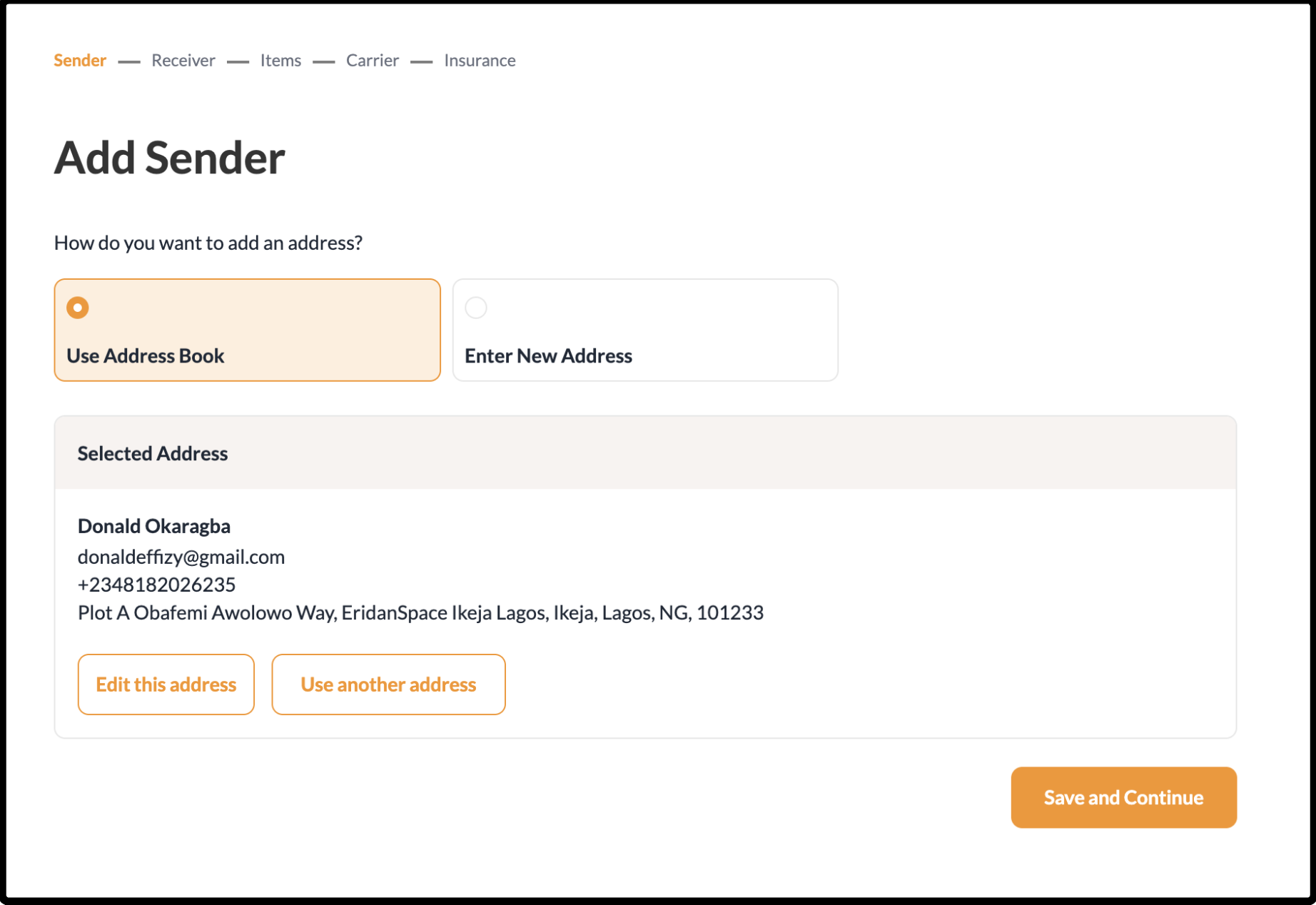
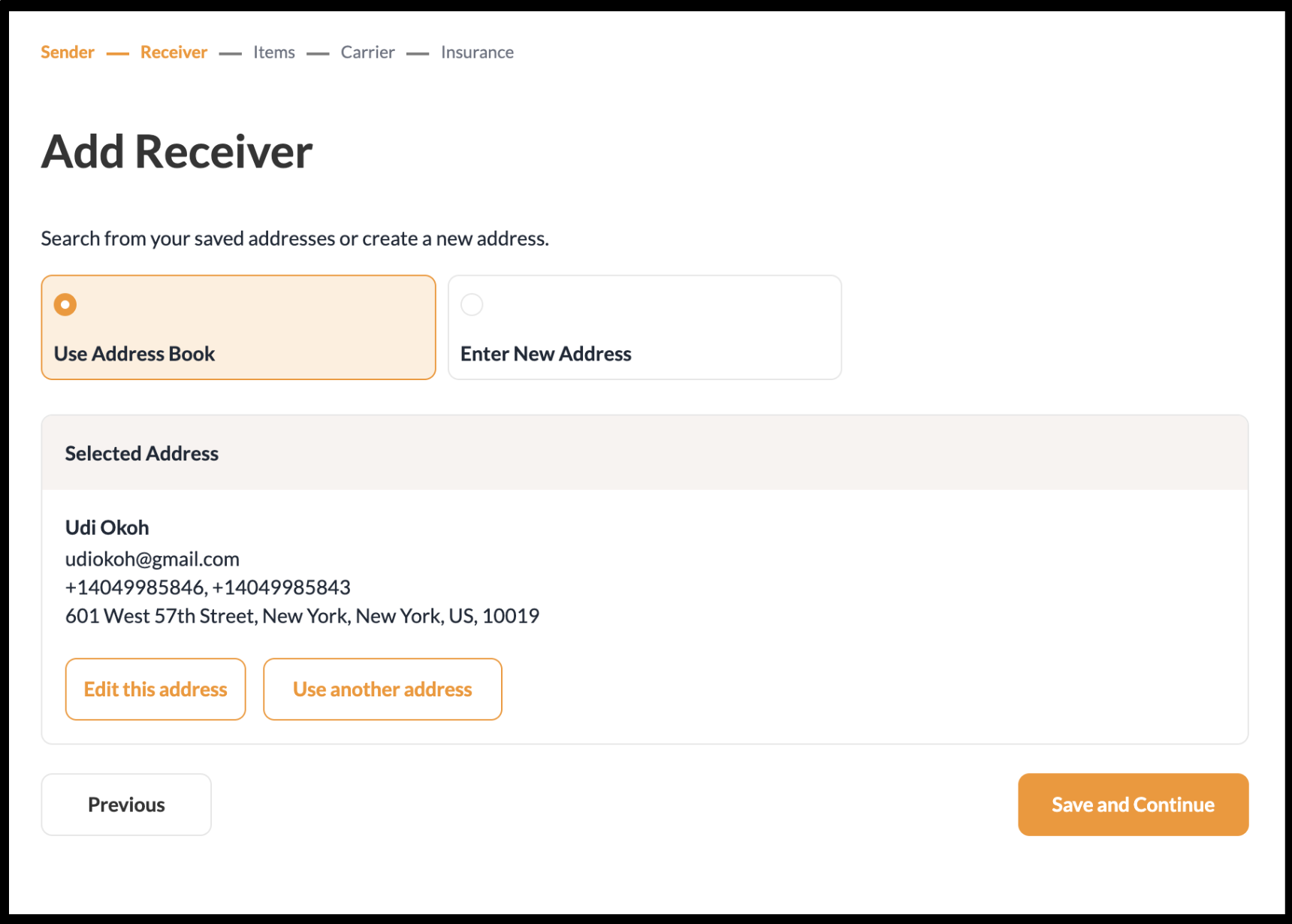
Add the sender and receiver’s addresses.
Step 4
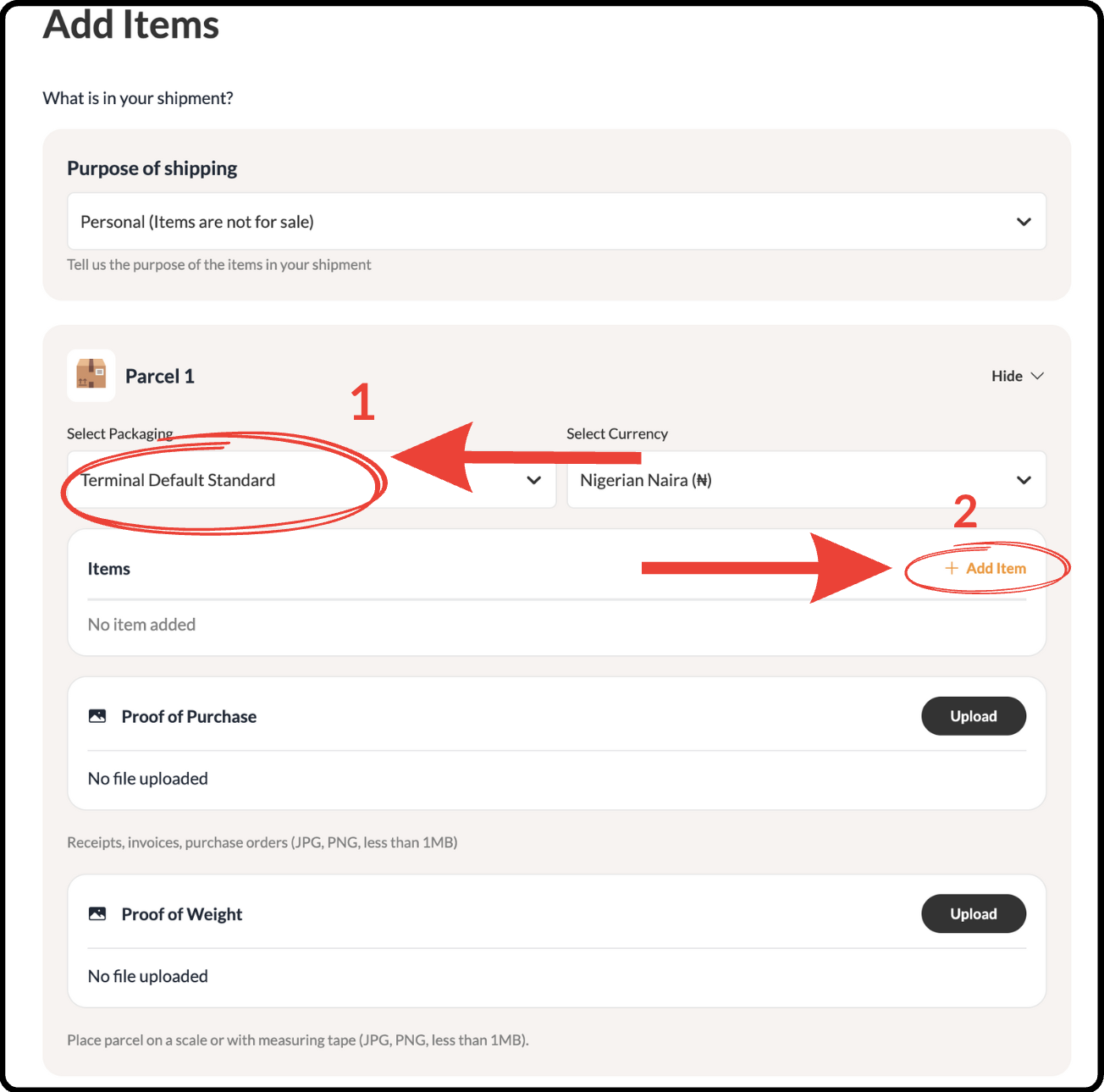
Select a packaging and click on the Add item button.
Step 5
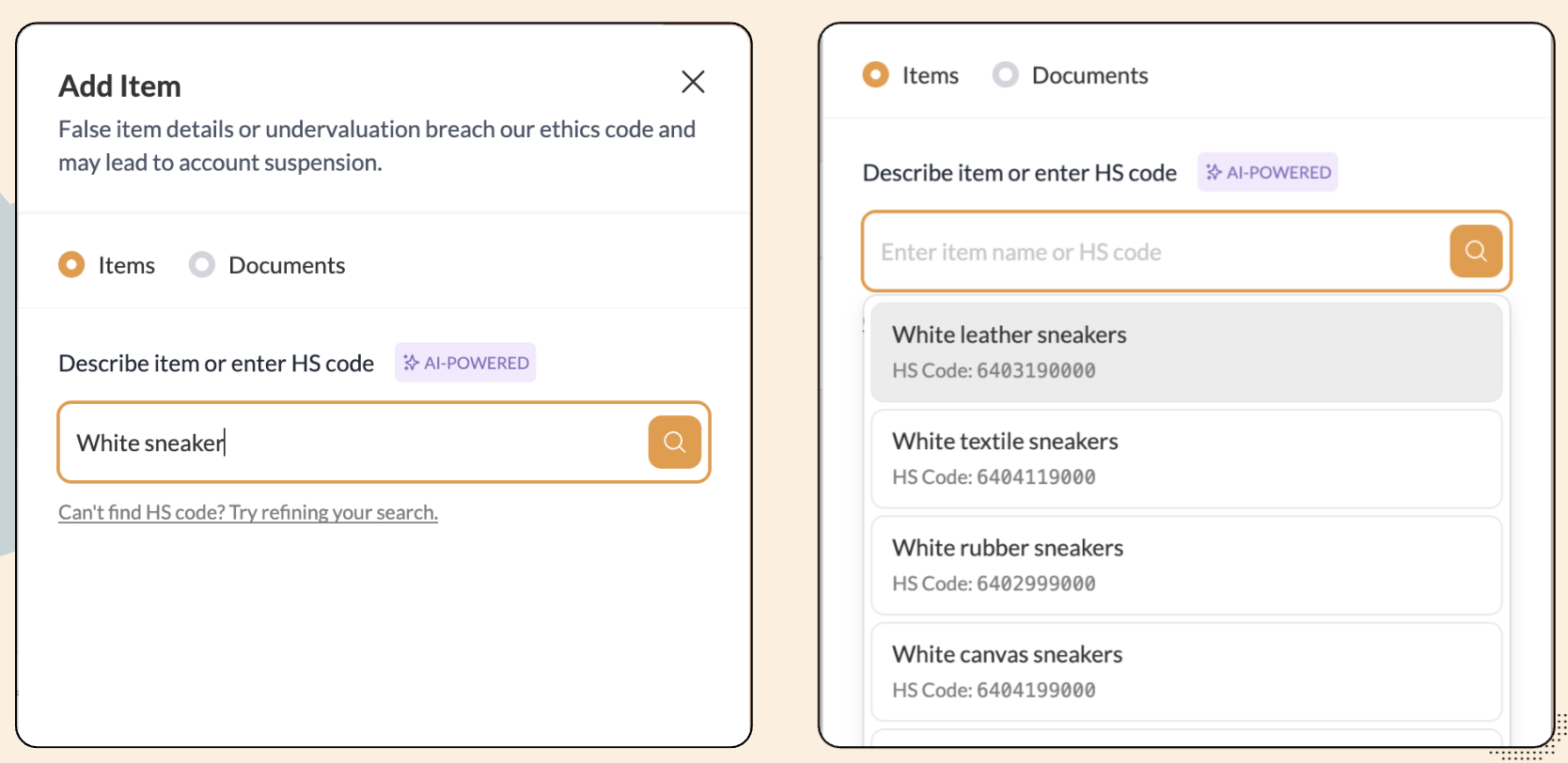
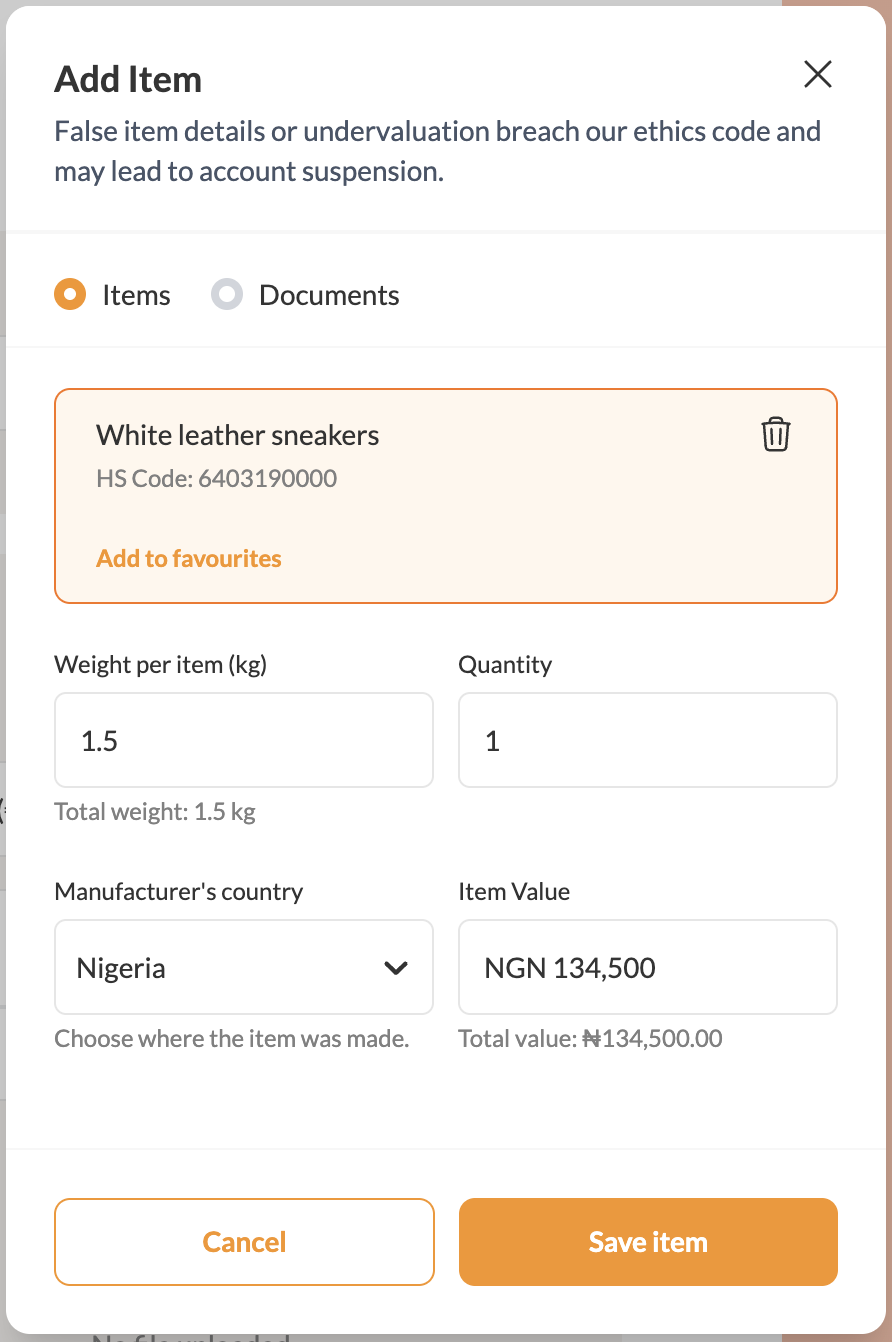
Under “Item name”, type the name of only one of the items you want to send. Choose the right HS Code that describes the item.
Note: DO NOT write all the items in your packaging box you want to ship at once.
Step 6
Add the correct weight and value of that specific item.
Step 7
Save the item and click on the “add item button again to add the next item that you want to ship.
Note: If there are other items you want to send in another packaging box to the same address, you will use the multi-parcel feature. Use this guide instead.
More Like This

How to Easily Generate an FDA Prior Notice

How to Send Clothes from Port Harcourt to Canada
How to Get Documentation for International Shipping

Have further questions?
Contact Us