
How to Book a Multi-Parcel Shipment
If you want to send multiple packages to the same recipient, you don’t need to book different shipments. Terminal Africa allows you to add all your parcels to one shipment provided they’re all going to the same receiver.
In this guide, you’ll learn how to correctly book a multi-parcel shipment for your international shipping to a single recipient.
Step 1: Start a New International Shipment
Login into your Terminal Africa account. Click here to create a free account.
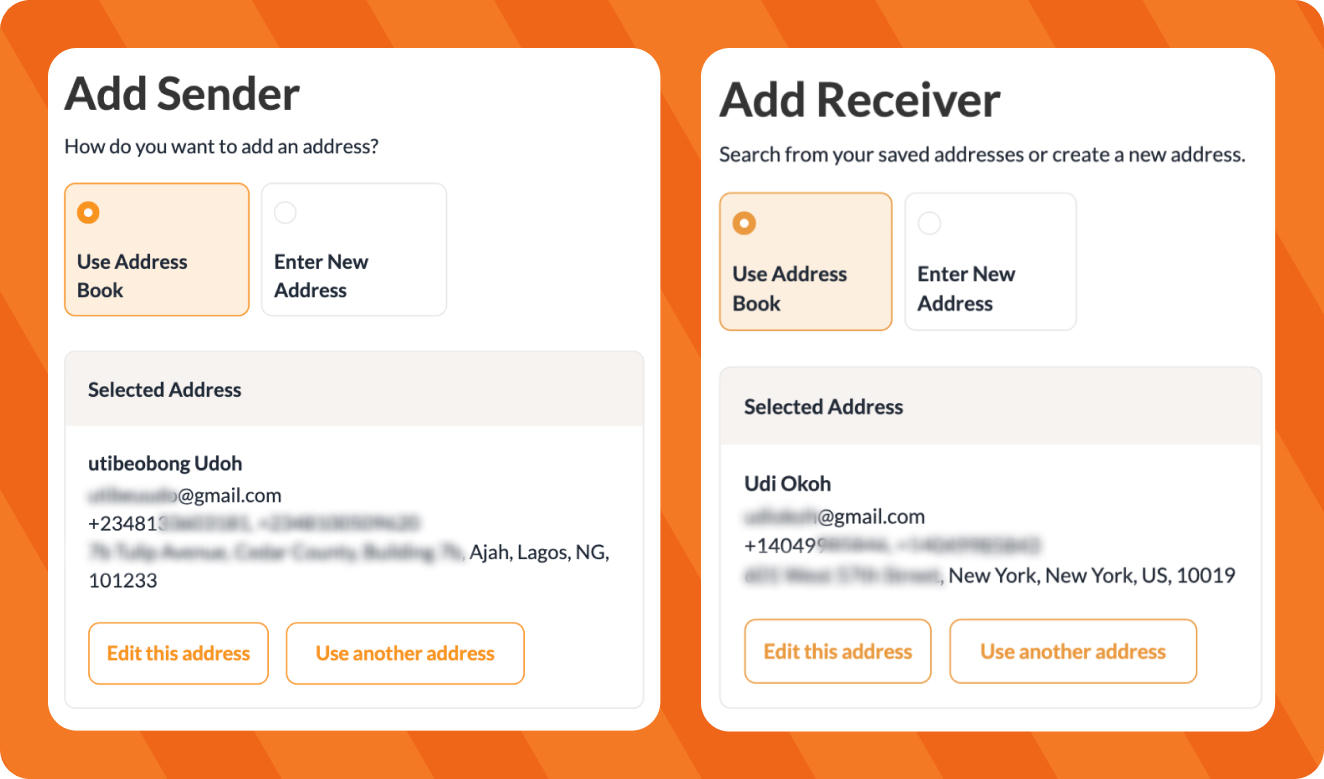
Add the sender’s details and enter the recipient’s details.
Make sure the recipient information is correct, as all parcels added to this shipment will be sent to this recipient.
Add Your First Parcel
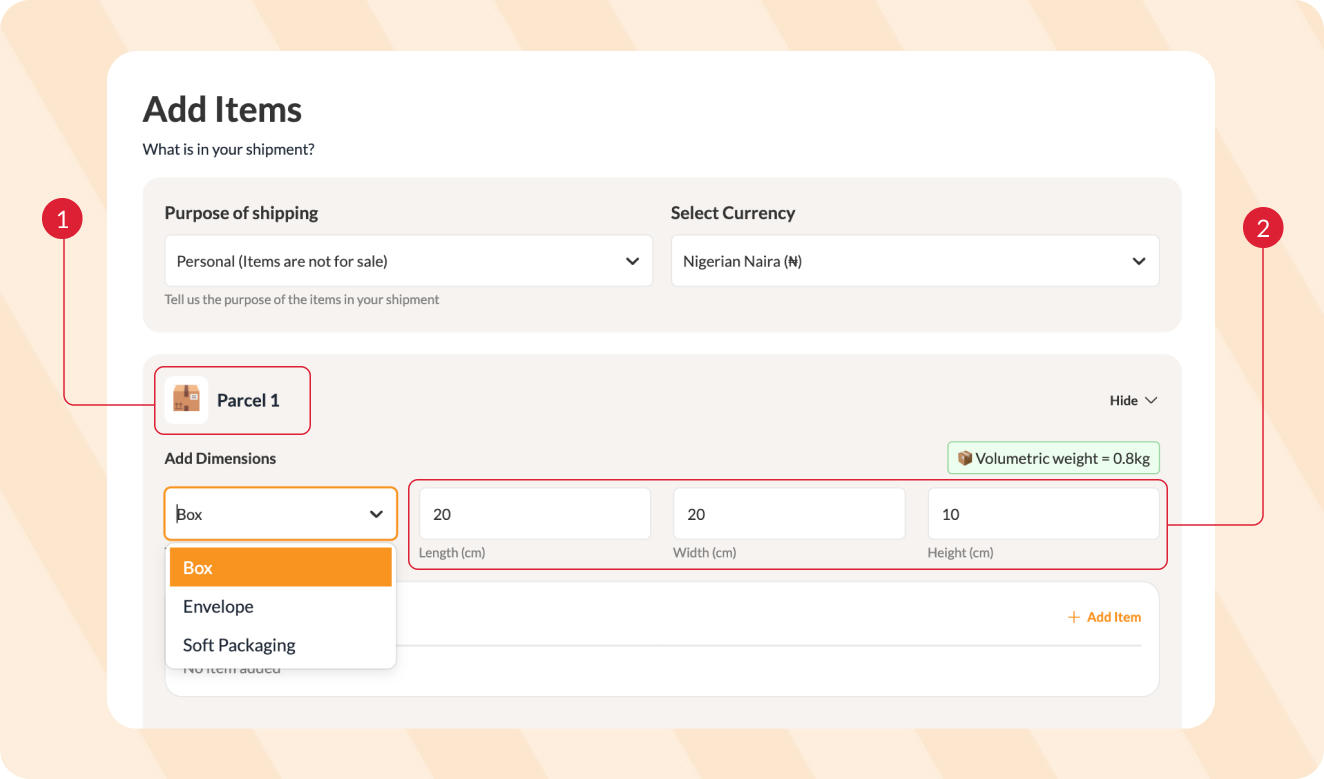
Step 2: Under Parcel 1, select the packaging type and enter the length, width and height.
Step 3: Click Add item and enter the item details. See our guide on how to use the HS Code Finder for help.
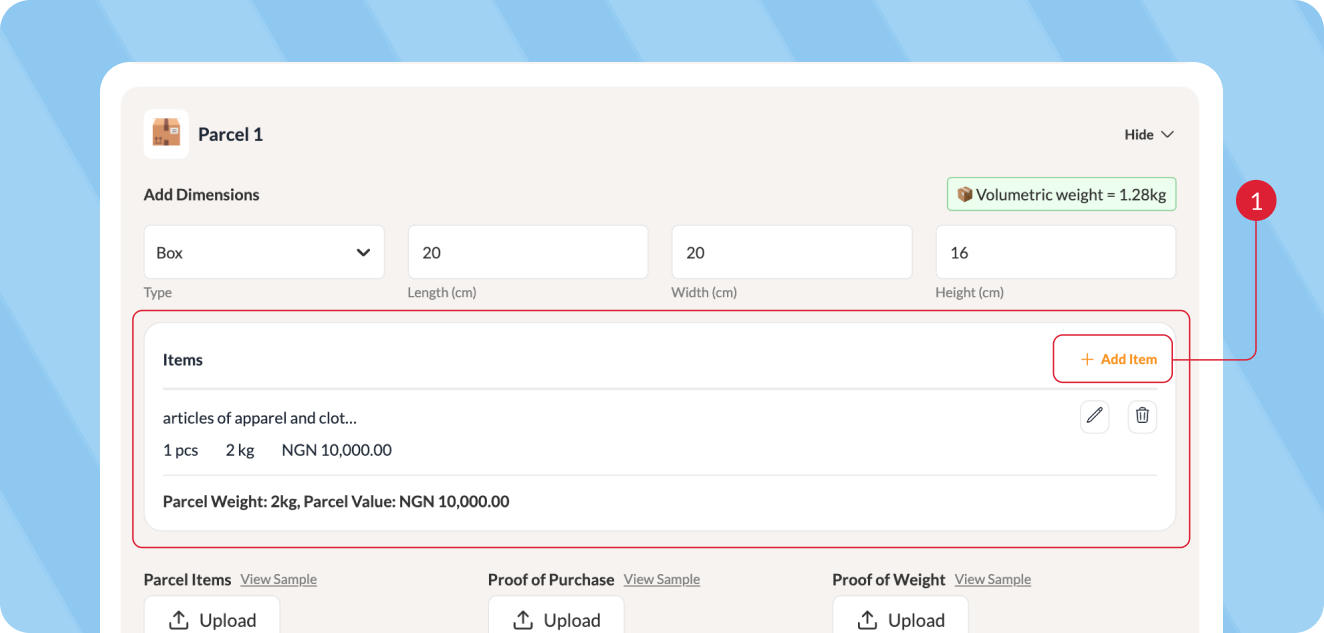
Make sure the dimensions and weight are accurate.
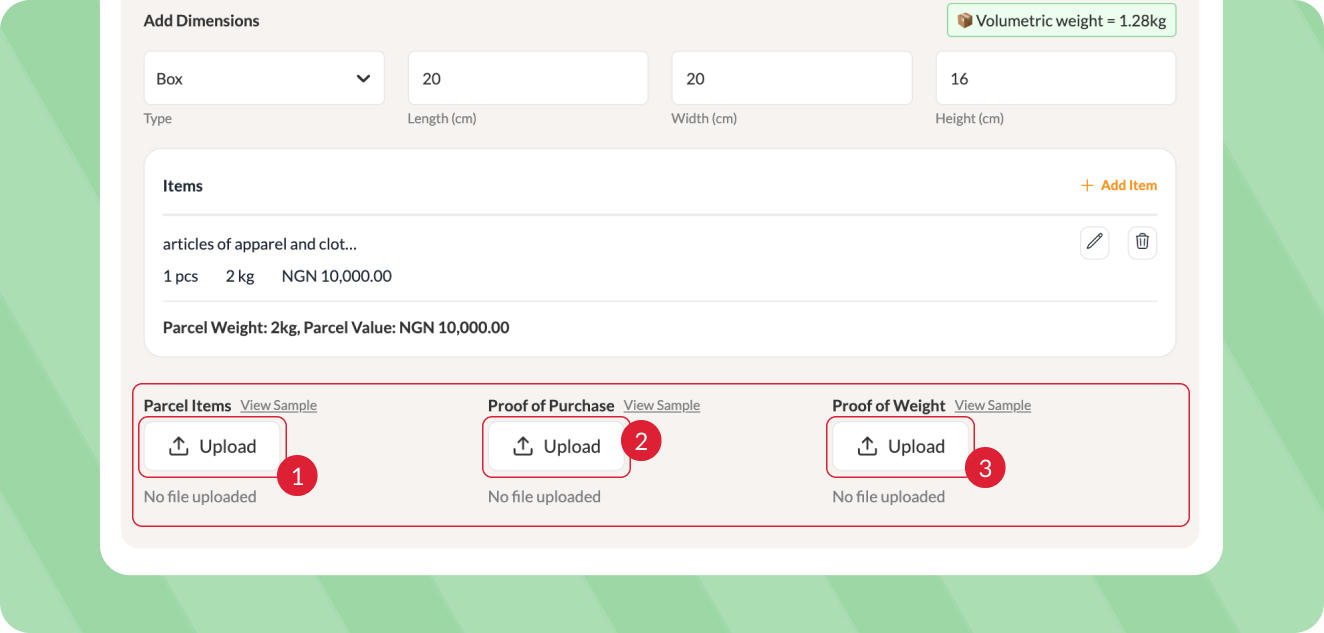
Step 4: Upload photos of the items, proof of purchase and proof of weight.
After that, proceed to the second parcel.
Add Another Parcel
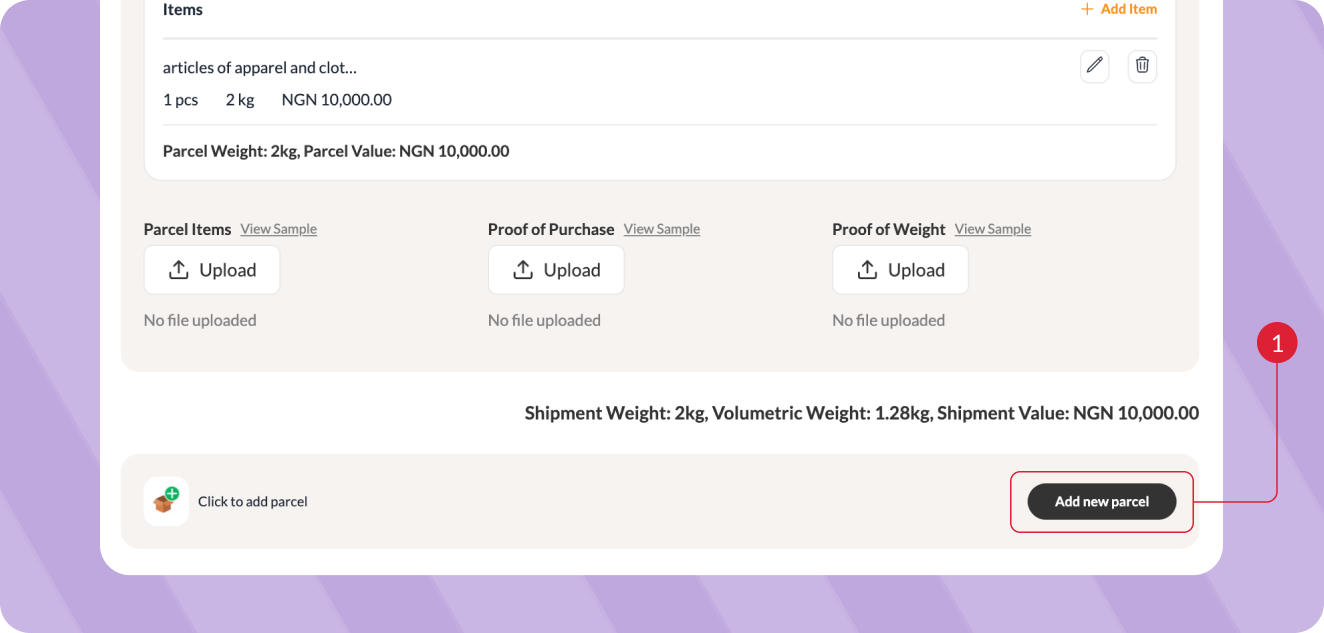
Step 5: Once you’ve entered the details for Parcel 1, click Add new parcel to add another parcel to the same shipment.
Step 6: Under Parcel 2, select the packaging type and enter the dimensions. Follow steps 3 and 4 above to add the details of the second parcel.
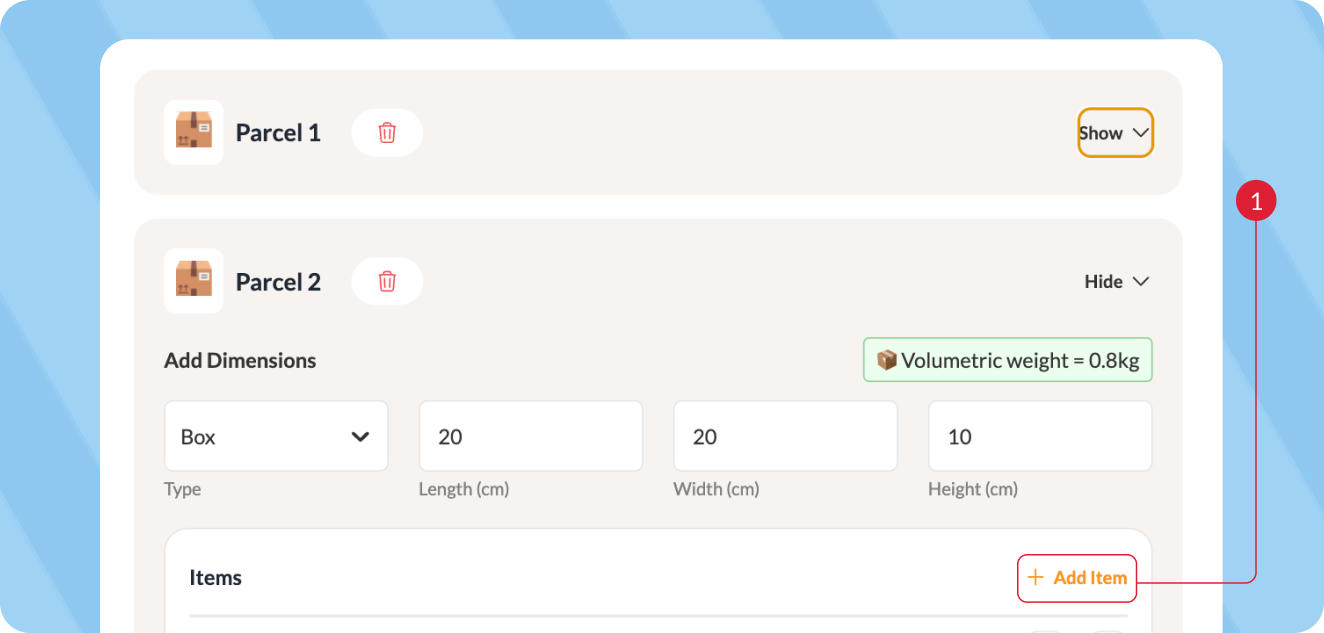
Repeat this process for every parcel you’re sending.
Important: You do not need to enter the recipient’s details again. All parcels added to this shipment will be sent to the same recipient.
Select a Carrier
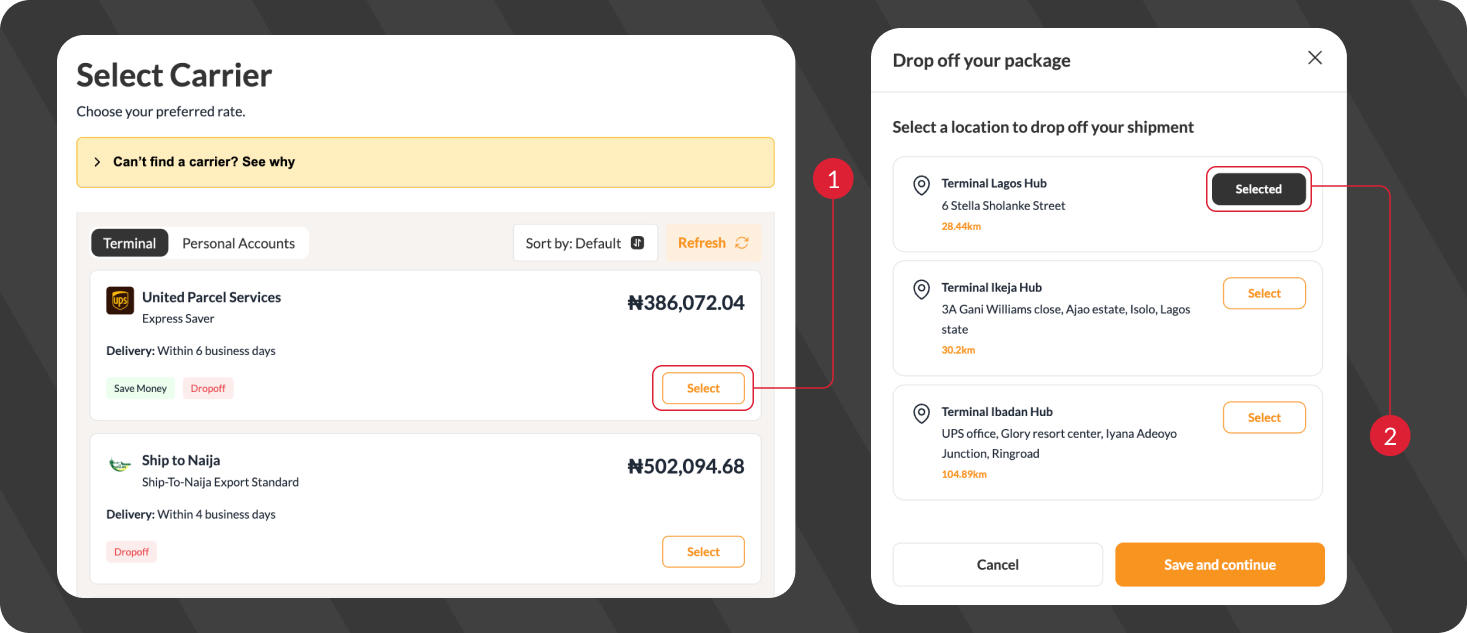
Step 7: After adding all your parcels, you’ll see a list of available carriers and shipping rates.
Choose the carrier you prefer based on speed and price, and select the drop-off option.
Review and Make Payment
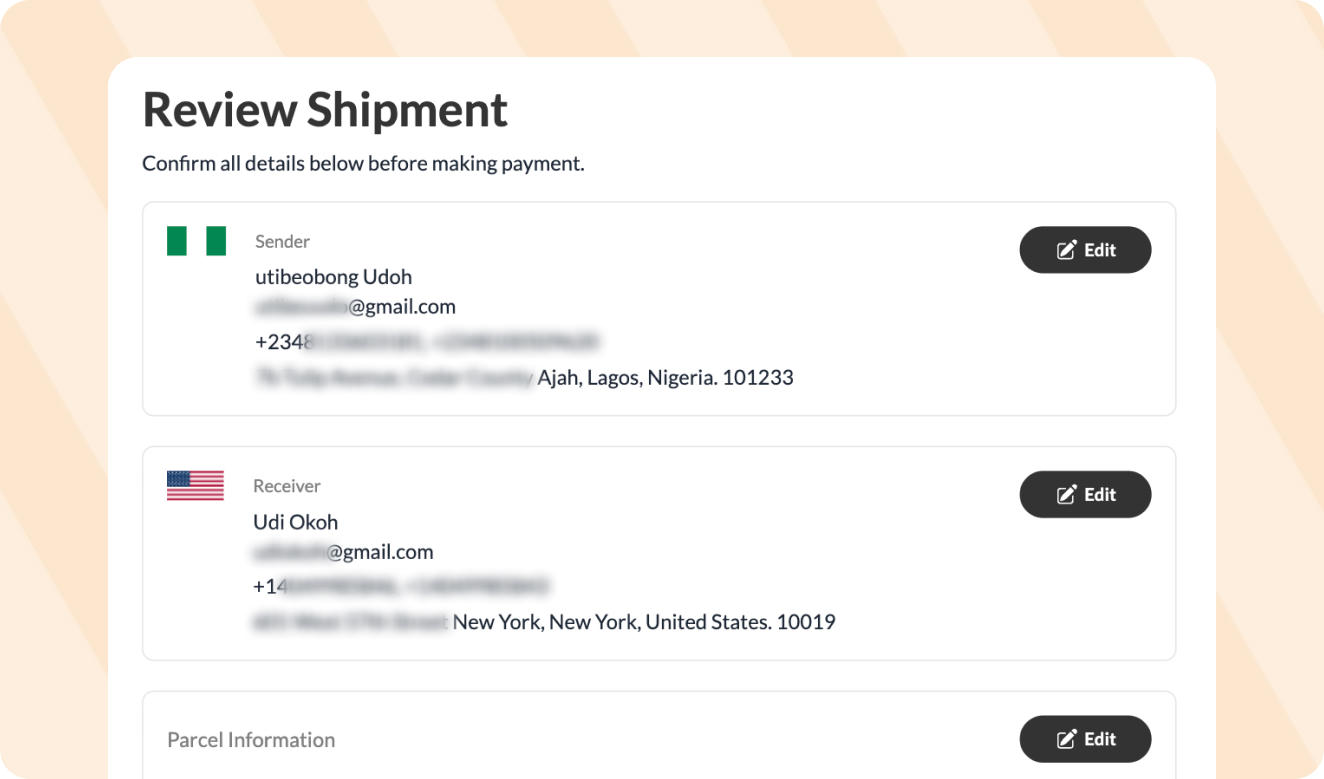
Review the shipment details, parcels and total shipping cost.
Once everything is correct, proceed to make payment.
Access Your Shipping Documents
After booking, Terminal Africa will add the necessary shipping documents to your shipment.
Download and print your waybill and follow the drop-off instructions for your selected carrier.
More Like This

How to Schedule a Pickup for Your Shipment
How to Easily Generate an FDA Prior Notice

How to Send Clothes from Port Harcourt to Canada

Have further questions?
Contact Us