
How to Book an Air Cargo Shipment
If you’re sending larger or heavier packages from Nigeria to the UK or USA, you can book an air cargo shipment directly on Terminal Africa.
Terminal Africa offers UK cargo shipping and USA cargo shipping through Hullcrest Shipping.
In this guide, you’ll learn how to correctly book an air cargo shipment.
Before You Book: Enable the Cargo Carriers
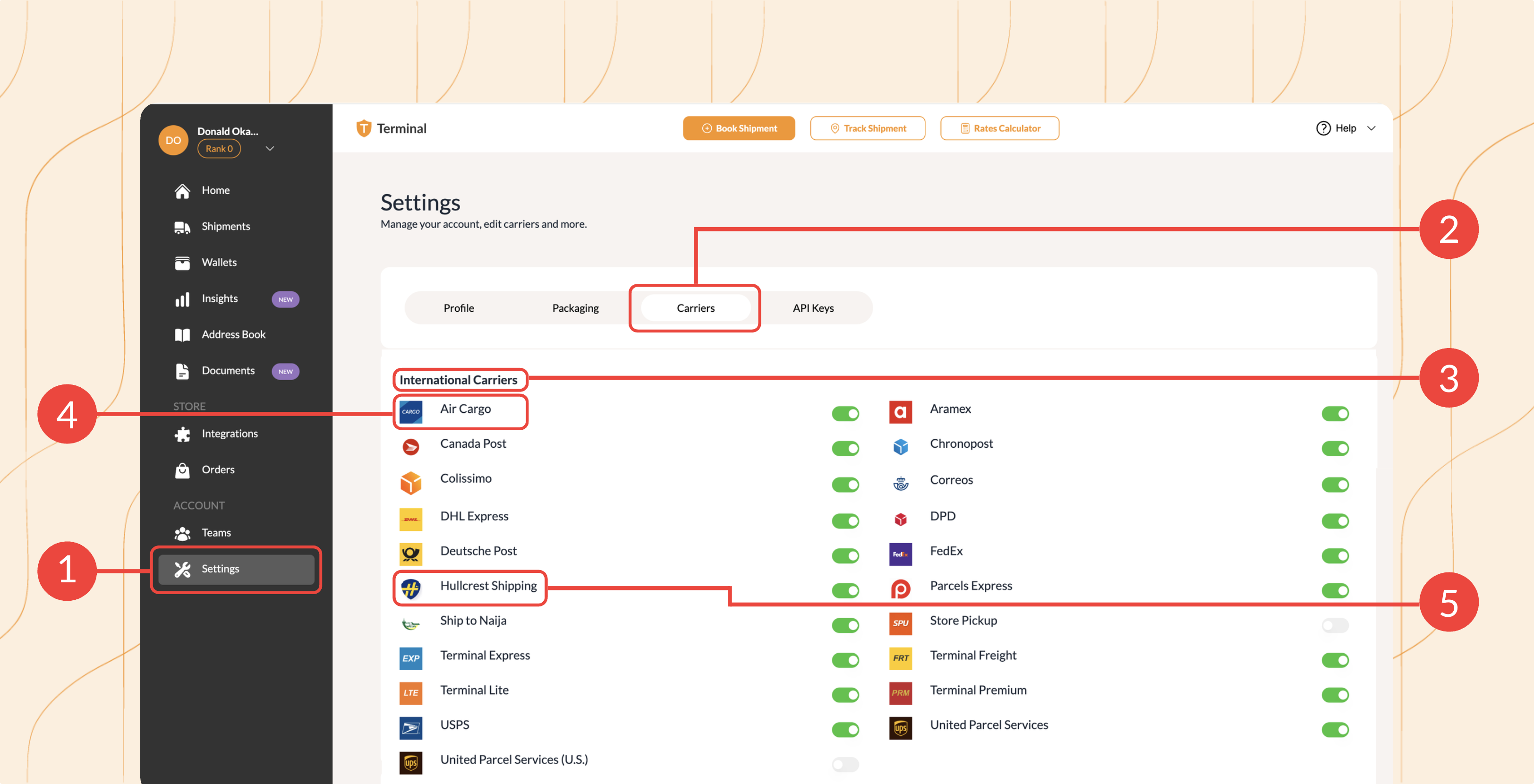
Go to Settings, select the Carriers tab and scroll to International Carriers.
Make sure both of these carriers are toggled on:
- Air Cargo
- Hullcrest Shipping
This ensures the relevant cargo option appears when you request shipping rates.
Step 1: Start a New International Shipment
Login into your Terminal Africa account. Click here to create a free account.
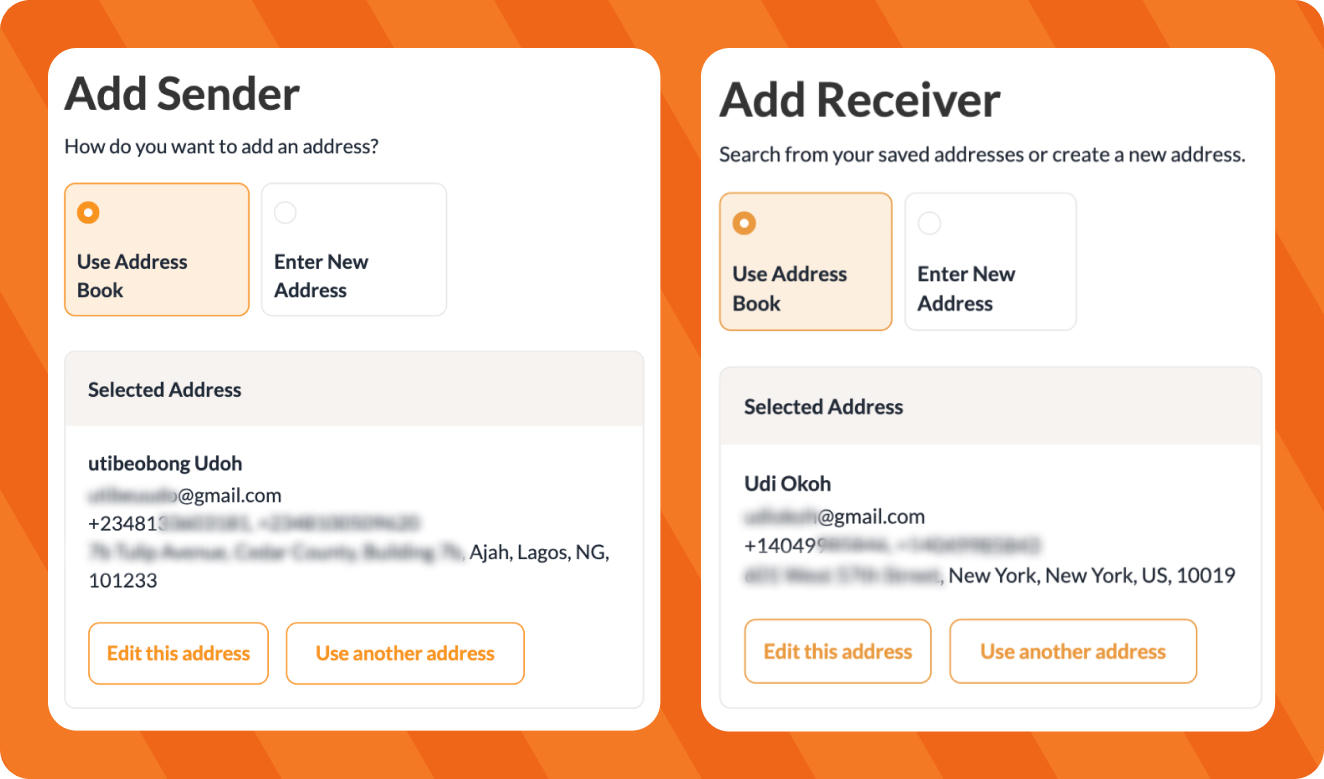
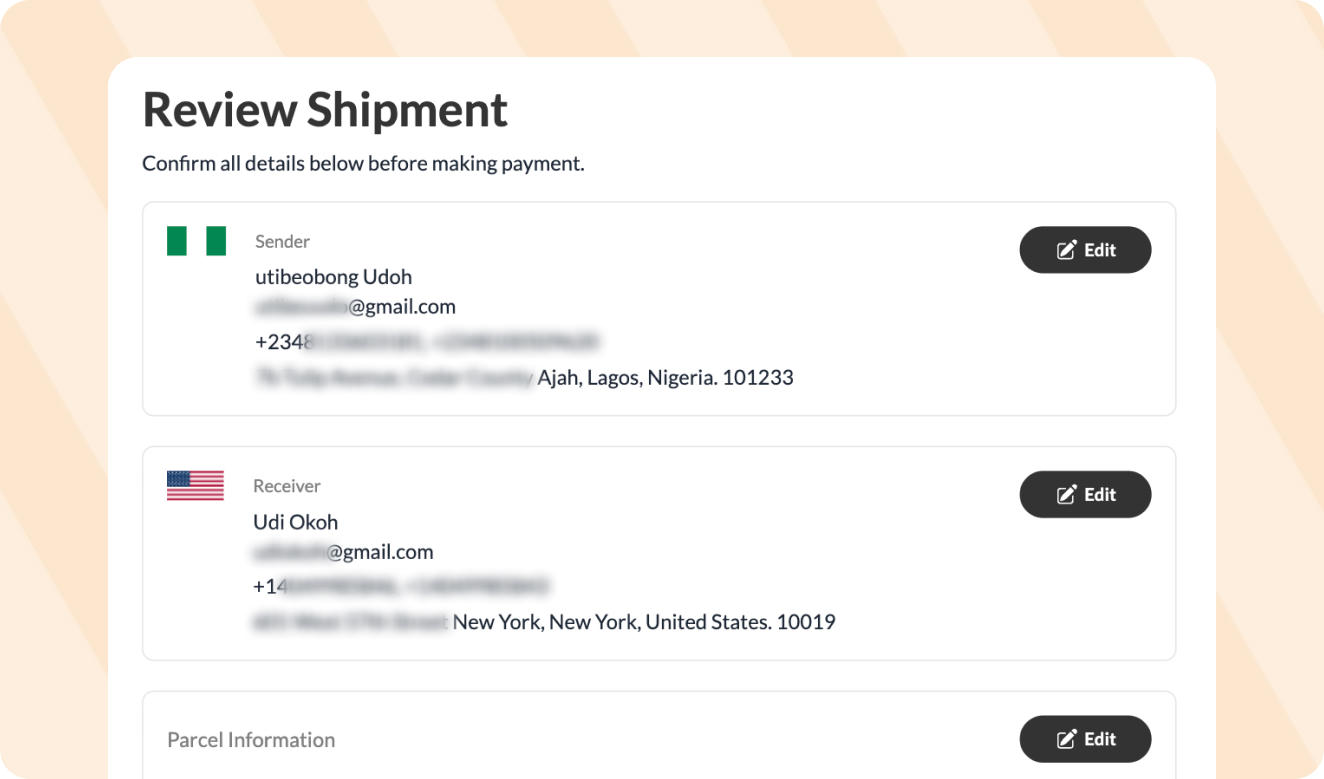
Add the sender’s details and enter the recipient’s details.
Next, enter the address, phone number, name and email of the receiver in the UK or USA.
Step 2: Add Your Parcel Dimensions
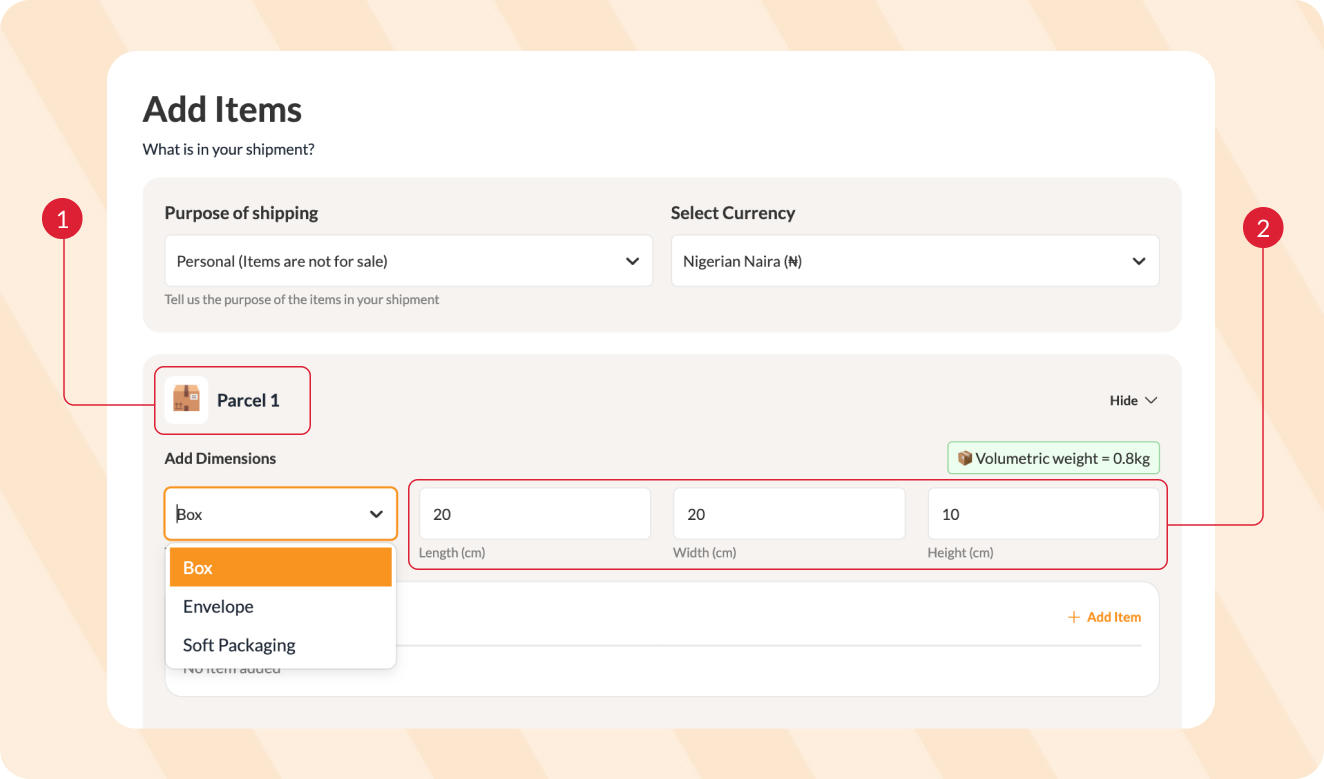
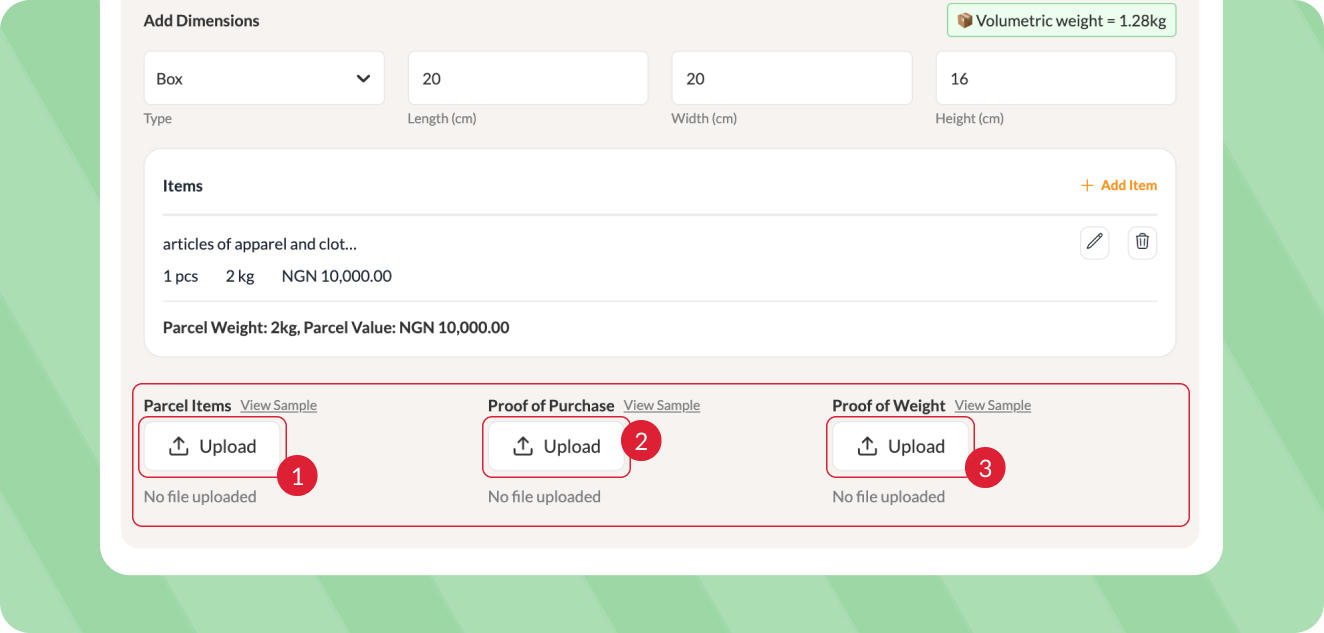
Under Parcel 1, select your packaging type, such as Box or Envelope, then measure and enter your parcel’s length, width and height.
Terminal Africa will automatically calculate the parcel’s volumetric weight.
Click Add item and enter the item details. See our guide on how to use the HS Code Finder for help.
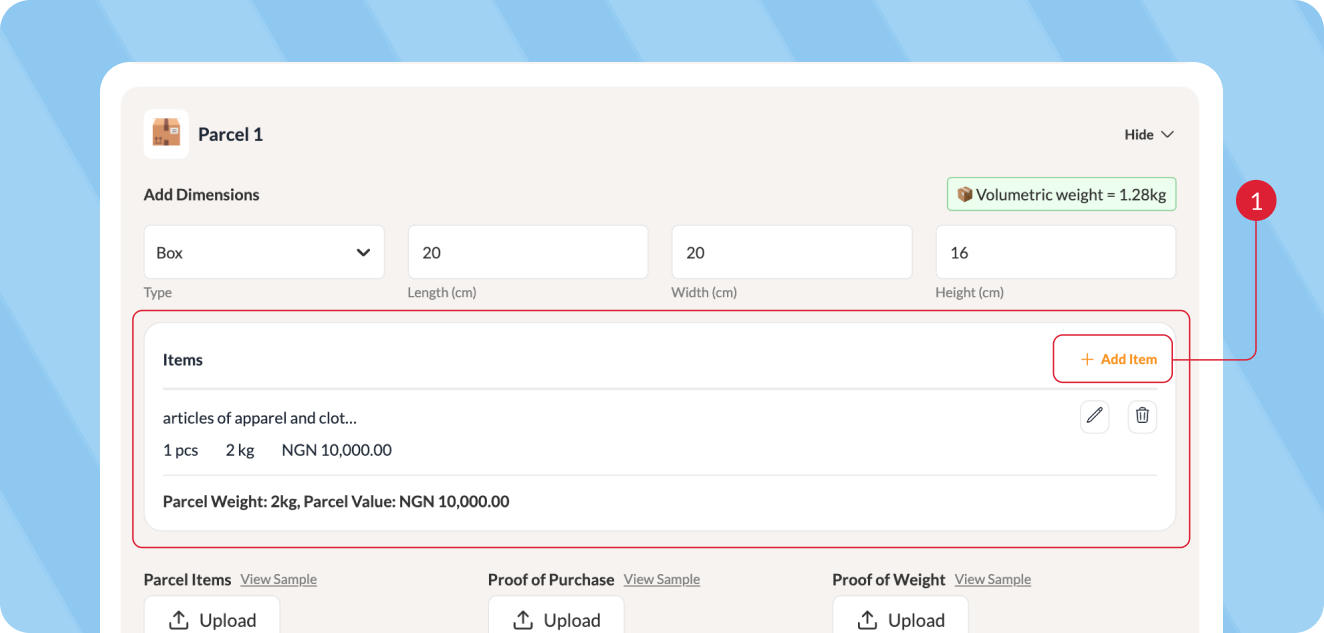
Make sure the dimensions and weight are accurate to avoid weight discrepancies when your package is processed.
Upload photos of the items, proof of purchase and proof of weight.
Step 3: Select Your Cargo Carrier
After entering your parcel and item details, Terminal Africa will show you the available shipping rates.
Select:
- Air Cargo if your shipment is going to the UK
- Hullcrest Shipping if your shipment is going to the USA
Then select the available drop-off option.
Step 4: Review the Required Documents
Depending on what you’re shipping and the destination country, additional shipping or customs documents may be required.
Terminal Africa automatically identifies the documents required for your shipment.
You don’t need to manually request or upload supported shipping documents.
Step 5: Review and Make Payment
Double-check your sender, receiver, parcel and item details.
Confirm that you selected the correct cargo carrier for your destination, then proceed to make payment.
Access Your Shipping Documents
After booking, Terminal Africa will add the necessary shipping documents to your shipment.
Download and print your waybill and follow the drop-off instructions for your selected carrier.
More Like This

How to Schedule a Pickup for Your Shipment
How to Easily Generate an FDA Prior Notice

How to Send Clothes from Port Harcourt to Canada

Have further questions?
Contact Us