
How to Schedule a Pickup for Your Shipment
Scheduled Pickup lets you choose the day a courier collects your parcels from your address. It is free, and one pickup can collect many shipments.
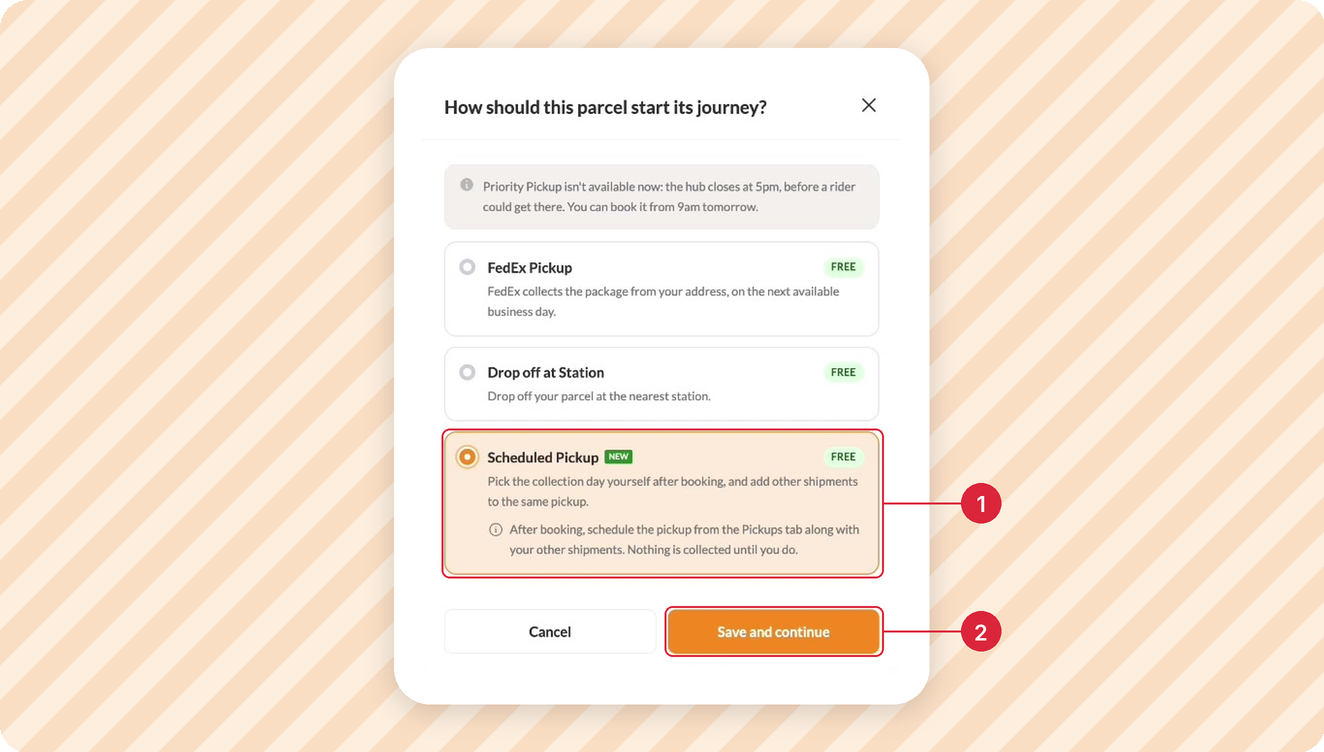
Step 1: Choose Scheduled Pickup When You Book
When you book your shipment and pick a carrier, you will be asked to select how you want to move your package to the carrier. Select Scheduled Pickup (1), then click Save and continue (2). Pay for your shipment as usual.
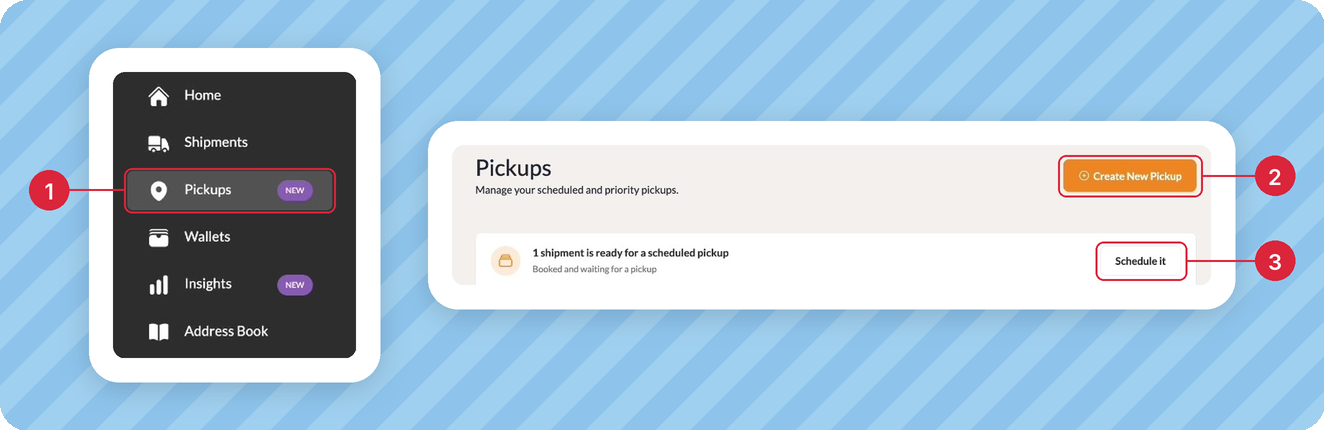
Step 2: Go to Pickups
Click Pickups (1) on the left menu. Then click Create New Pickup (2) or Schedule it (3).
Step 3: Select Your Shipments
Tick the shipments you want collected (1), then click Continue (2).

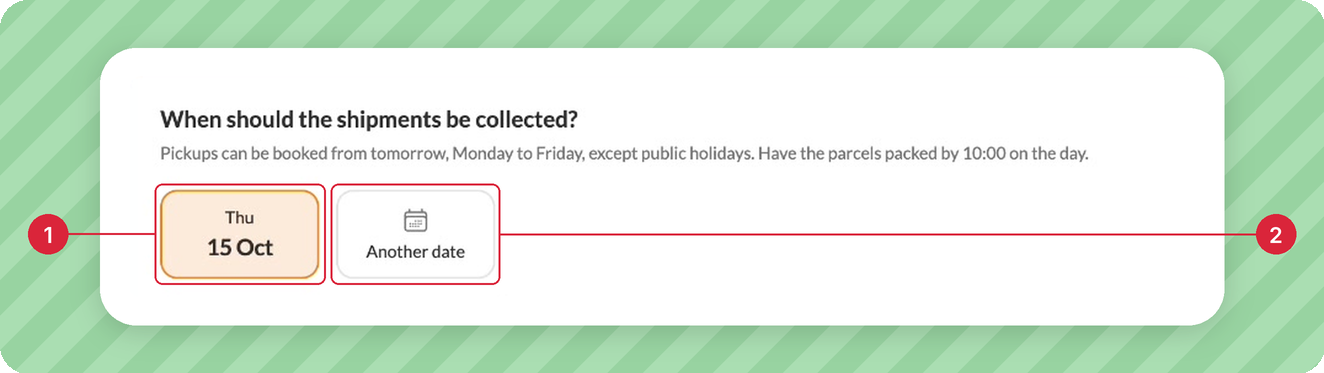
Step 4: Choose a Pickup Day
Pick a day (1), or click Another date (2) for a later day. Pickups run Monday to Friday, from tomorrow. Have your parcels packed by 10:00 am.
Step 5: Choose the Pickup Address
Select the address the courier should come to (1), or click Add a new address (2). Then click Continue (3).

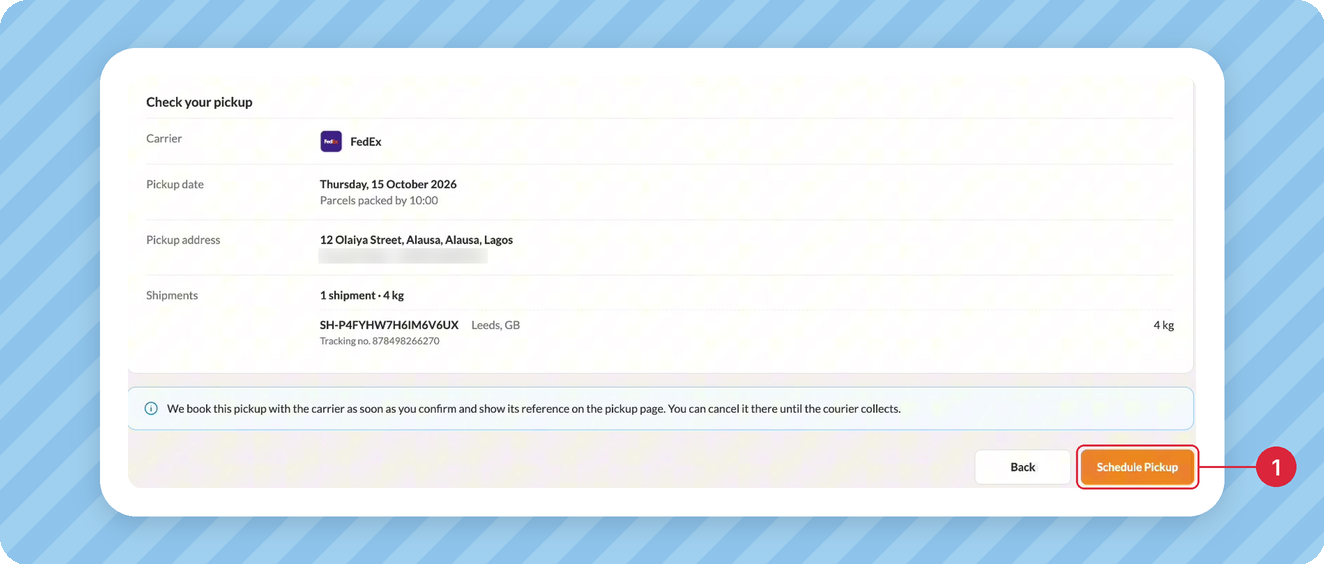
Step 6: Schedule Your Pickup
Check the details, then click Schedule Pickup (1).
Done! Your pickup is booked. You will see its status (1) and the carrier's pickup reference (2) on the pickup page.

Need to Cancel?
Open the pickup and click Cancel Pickup any time before the courier arrives. Your shipment stays booked, so you can schedule a new pickup for it.
More Like This

How to Easily Generate an FDA Prior Notice

How to Send Clothes from Port Harcourt to Canada

How to Get Documentation for International Shipping

Have further questions?
Contact Us