
How to Get Documentation for International Shipping
Terminal Africa now provides you with all necessary documents for international shipping, ensuring that your shipments are not delayed due to compliance issues. In this guide, you will learn how to ship with all the complaint documents for food, artwork, clothing, machinery and more.
Here’s how it works:
Step 1: Start a New International Shipment
- Log in to your Terminal Africa account and click on “Book Shipment”.
Step 2: Enter Your Shipment Details
- Fill in the sender and receiver information.
- Add your package details (weight, dimensions, item description, and value).
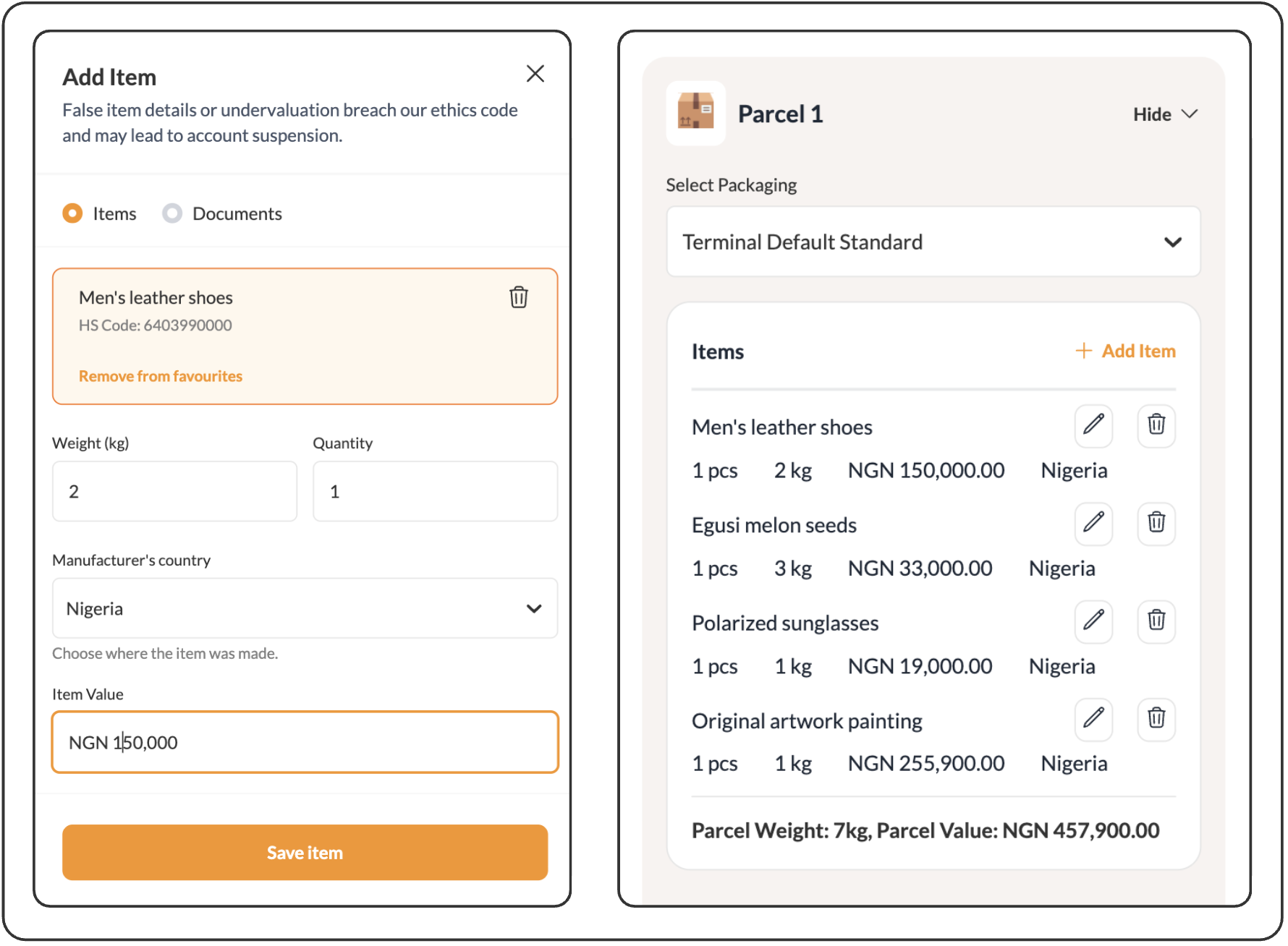
Step 3: Select a Carrier
- After entering your package details, you’ll see a list of available carriers and shipping rates.
- Choose the carrier you prefer based on speed, price, or reliability.
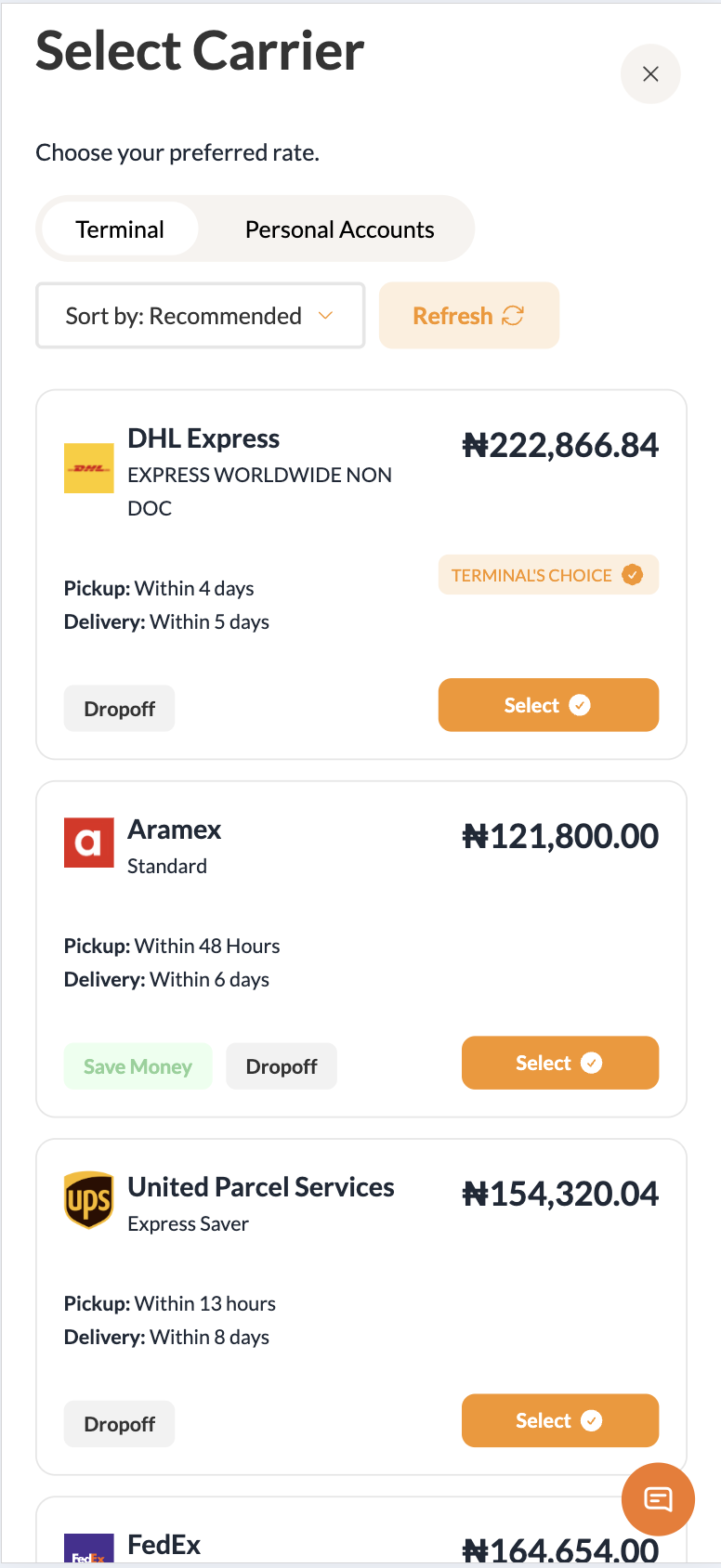
Step 4: Review the Required Documents
All required shipping documents will be listed here.
You’ll see them displayed alongside options like shipping insurance and customs duty fees.
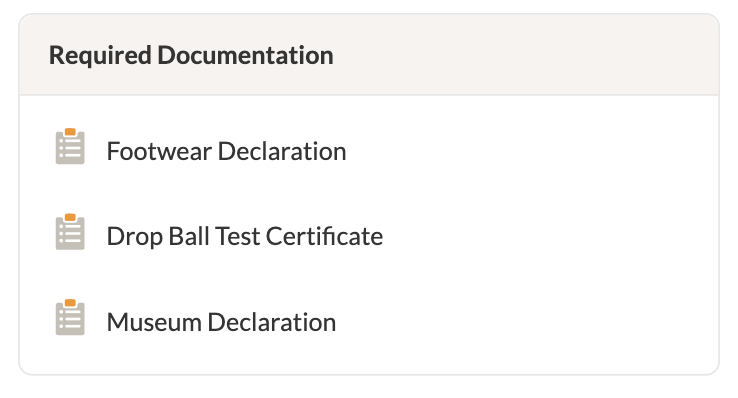
Important: You don’t need to upload or request documents manually. Terminal Africa handles this for you.
The documents listed are based on the items you are shipping and the destination country.
Step 5: Review and Make Payment
Double-check your shipment details and costs.
Proceed to make payment as you normally would.
Step 6: Access Your Shipping Documents
Within 1 hour of booking, Terminal Africa adds all necessary international shipping documents to your shipment. After which, you can download and print your waybill.
More Like This
How to Easily Generate an FDA Prior Notice

How to Send Clothes from Port Harcourt to Canada
How to Check and Pay for Customs Duty

Have further questions?
Contact Us