
How to Book a Priority Pickup for Your Shipment
Priority Pickup sends a rider to collect your package and take it straight to our hub. You don't need to drive or sit in traffic. In this guide, you will learn how to book a Priority Pickup for your shipment.
When it runs: Monday to Friday, from 9:00 AM to 2:00 PM. Book early in the day to get your package moving sooner.
What happens after you book:
- A rider usually comes to your address within the hour.
- The rider takes your package straight to our hub.
- We hand your package to the carrier.
Have your package packed and labelled before you book, so it's ready when the rider arrives.
Step 1: Choose Priority Pickup When You Book
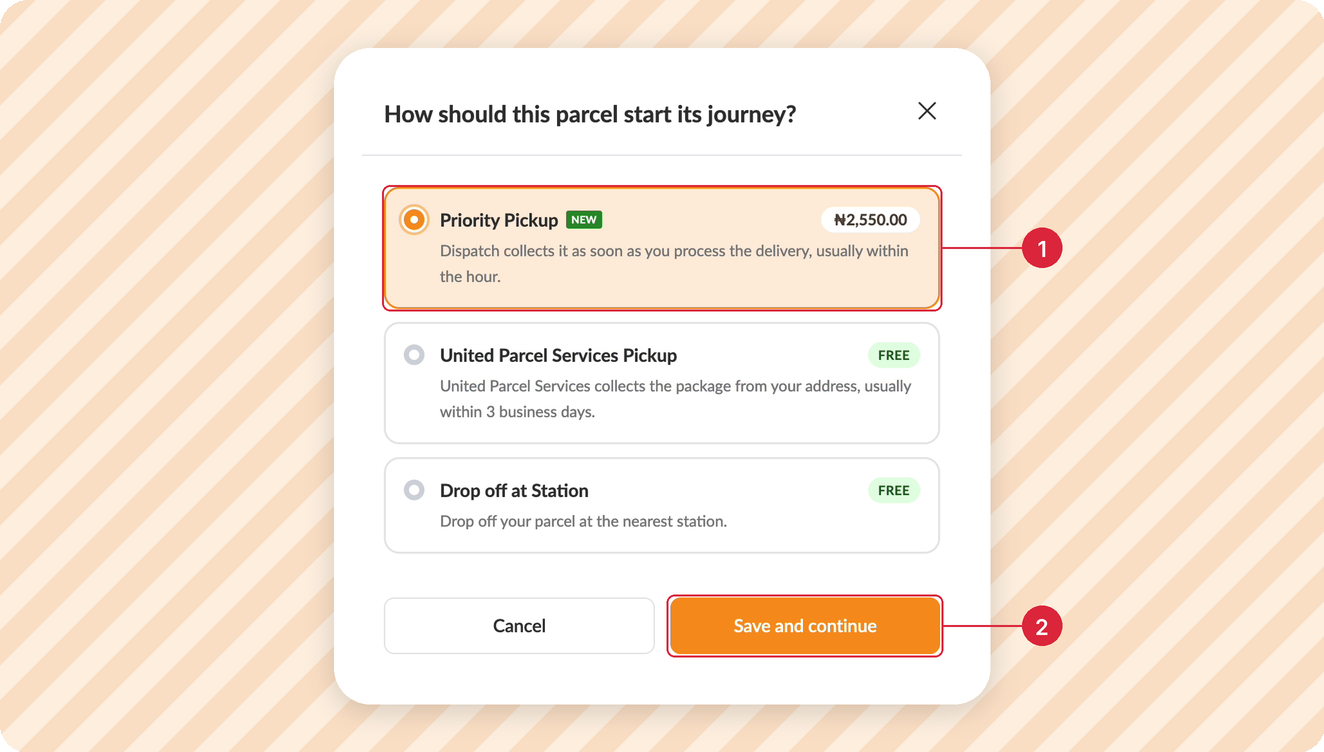
When you book your shipment and pick a carrier, you will be asked to select how you want to move your package to the carrier. Select Priority Pickup (1). You will see the pickup fee next to it. Then click Save and continue (2) and pay for your shipment as usual.
Step 2: Open Your Pickup
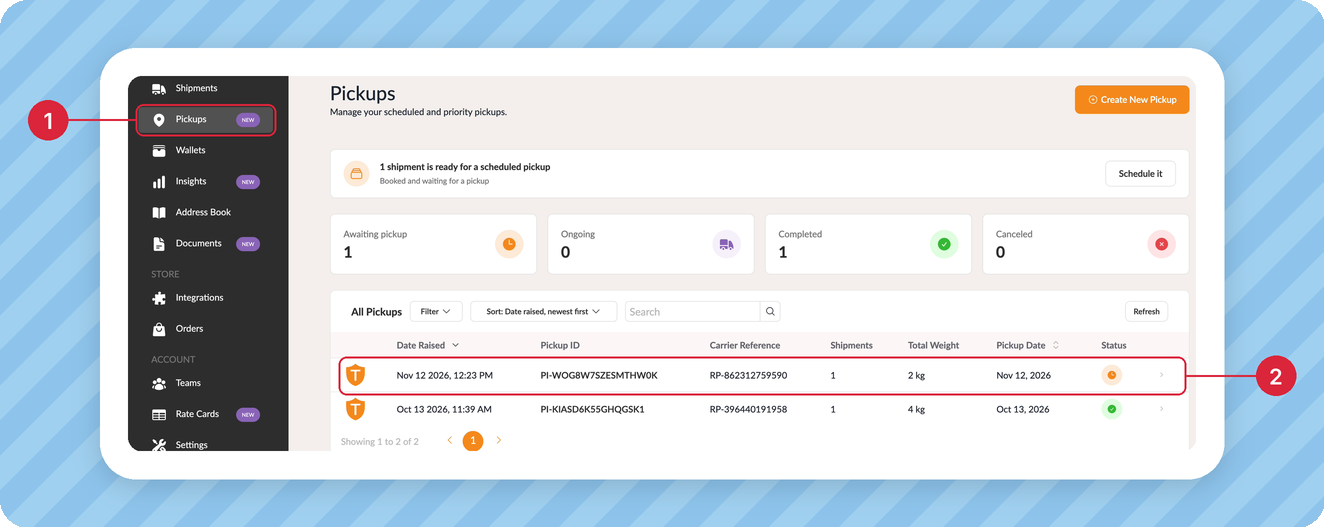
Your pickup is booked as soon as you pay. To check on it, click Pickups (1) on the left menu. Then click your pickup (2) to open it.
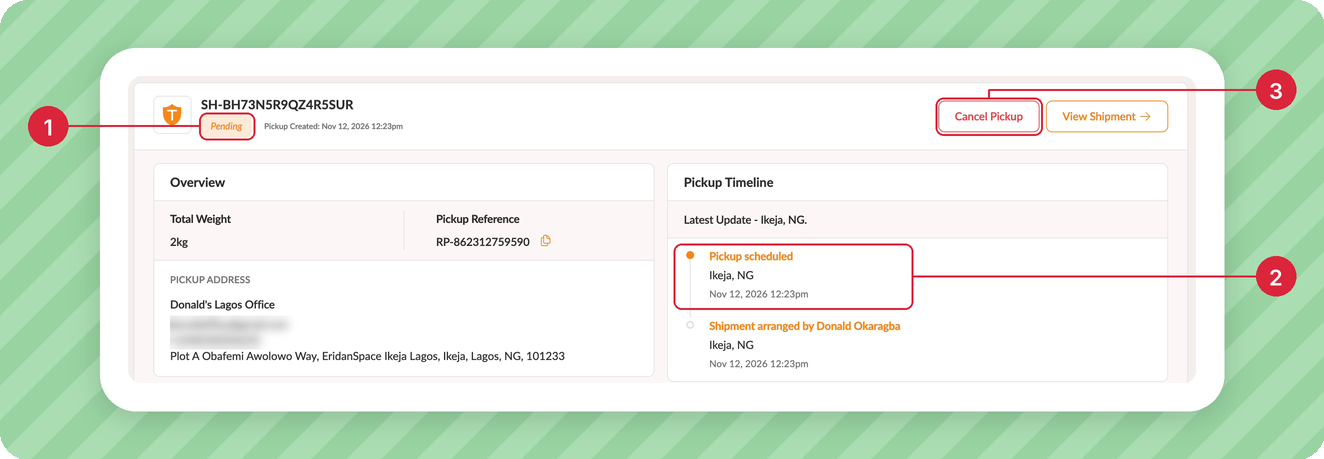
Your Priority Pickup is booked. The pickup page shows its status (1) and every update in the Pickup Timeline (2), so you can follow your package to the hub.
Need to Cancel?
Click Cancel Pickup (3) any time before the rider arrives. We will refund the pickup fee.
More Like This

How to Schedule a Pickup for Your Shipment
How to Easily Generate an FDA Prior Notice

Have further questions?
Contact Us